


Record actual work
Operators or workstations register real events: task start, finish, stop, quantity, defect or another important signal.
Instant consultation, immediate impact. Why wait?
 Let's dive right into how Iwoscan can reshape your manufacturing pipeline
Our experts are here to guide you through the transformation
No strings attached
Welcome to the Iwoscan!
At Iwoscan, we are more than just a company; we are the pioneers of precision and efficiency, the architects of innovation, and the champions of progress.
Sign in and embark on the journey together!
If you still need to register, we encourage you to create an account and elevate your experience. You'll gain:
- Exclusive access to analytics
- The ability to personalize your experience
- Receive notifications and stay updated
Iwoscan helps reveal waiting, downtime, defects, excess motion and work progress where they happen: at the workstation, operation or task.
Odoo ERP friendly Built-in task splitting and merging Raw data without distortion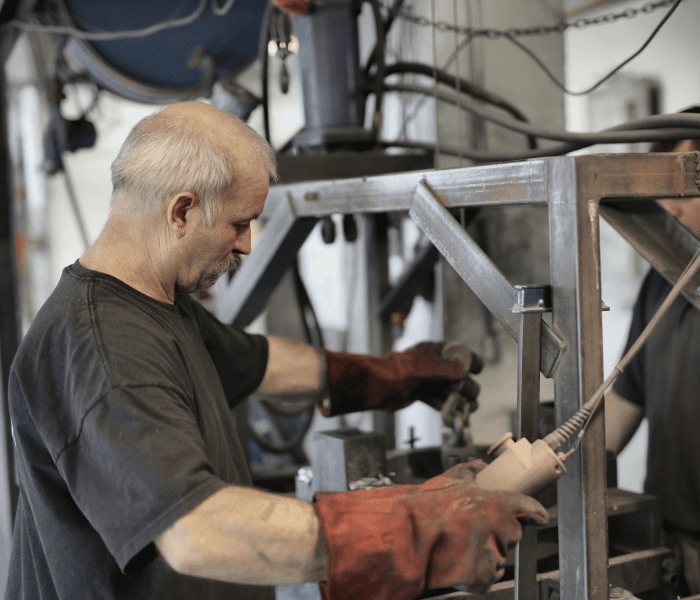
Lean is not just boards on a wall or monthly KPI reviews. For improvement to work, the team needs facts: what happened, how long it took, where work stopped and what caused it.
Lean is not about measuring more for the sake of measurement. The point is to see waste, understand causes and steadily remove what does not create customer value.
Operators or workstations register real events: task start, finish, stop, quantity, defect or another important signal.
Downtime, waiting, defects and rework should not stay in a general other category. They are classified so recurring patterns can be found.
Events are linked to a task, product, operation, workstation or shift. This makes analysis about the real process, not abstract efficiency.
When the largest losses are visible, the team can choose a practical improvement: instruction, material supply, maintenance or work balancing.
After a change, the team can compare actual data: did waiting, defects, downtime, WIP or takt deviation decrease.
The system helps collect data needed for practical Lean decisions: from downtime and takt to defects, WIP and workstation load.

Workstations record starts, finishes, stops, quantities and other events that show how the process actually runs.

Downtime can be registered by reason, making recurring losses easier to see.

The actual work rhythm is compared with the plan, showing where the process starts to fall behind.

Quality events are linked to the operation, task or workstation, making root cause analysis more practical.

It is clear which tasks are active, waiting, stopped or completed.

Data helps show which work centers are overloaded and where waiting starts to form.

Events recorded by operators reduce the need to rewrite information from paper later.

Collected data can be used to compare shifts, operations, products and workstations.

Iwoscan can complement existing planning and ERP data with factual execution data.

The team can see which losses repeat most often and where improvement should start.
Briefly describe the process, equipment and data that is currently missing.
We will explain what can be recorded, which Iwoscan set is suitable and how the data can reach your systems.
No. Iwoscan is not Lean consulting methodology. It is a tool for collecting factual production data needed for Lean improvement.
Commonly visible losses include waiting, downtime, defects, rework, excess motion, work in progress and uneven workstation load.
Yes. At the beginning it is enough to record a few important events: downtime, quantities, defects and task statuses. Detail can be increased later.
No. ERP usually plans and accounts for production, while Iwoscan adds the execution layer: what actually happened at the workstation, when and why.
The first value often appears when managers and operators see recurring problems that previously stayed only in conversations or paper notes.